Account setup
Welcome to RawPawIQ. Before we get into anything else, let's get your account set up. RawPawIQ is fully browser-based, so there's nothing to download or install. All you need is a browser on your desktop or mobile and a couple of minutes.
Step 1 — Head to the homepage
Visit rawpawiq.com and click "Explore your recipe — free" to create your account. No credit card required.

Step 2 — Enter your details
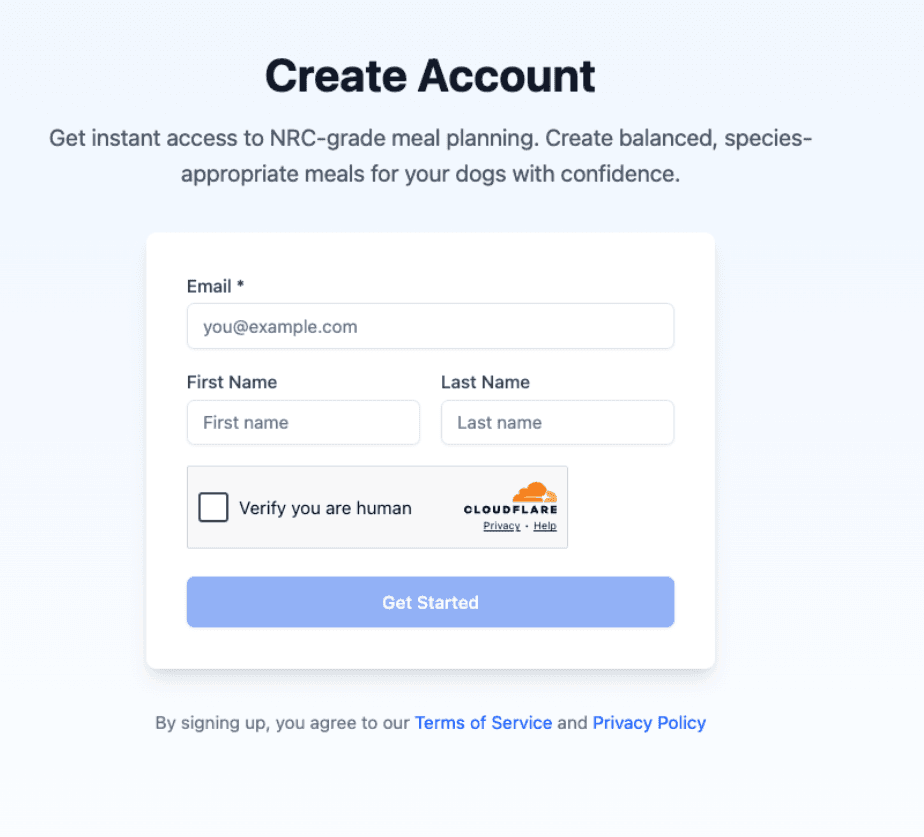
Fill out the short form with your name and email address, then hit "Get started."
Step 3 — Check your inbox
Look for an email with the subject line "Welcome to RawPawIQ! Set up your account." Open it and click the "Set up my account" button inside.
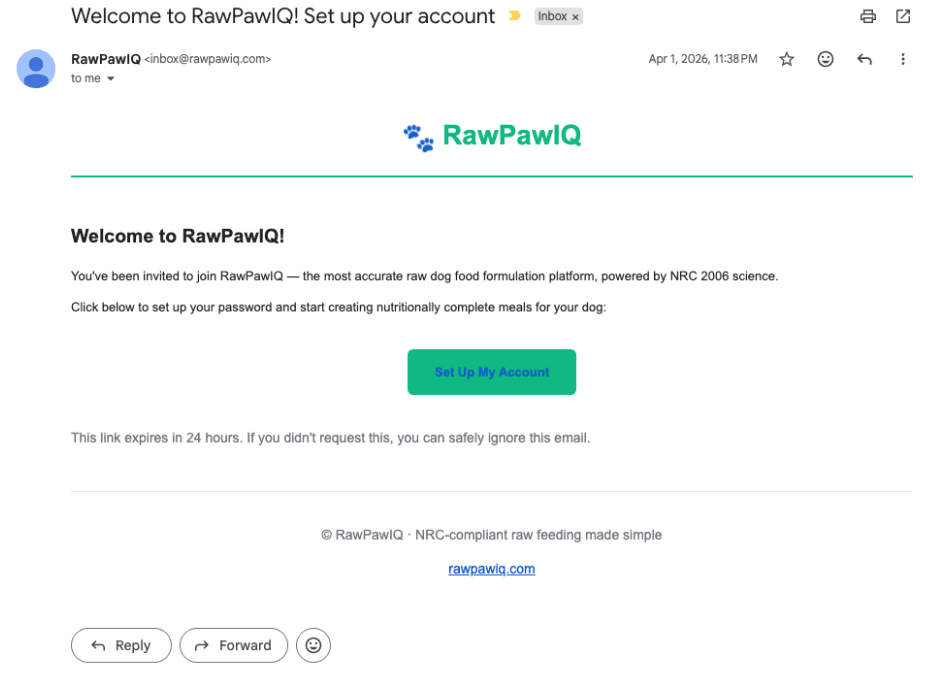
no-reply@rawpawiq.com to your contacts so future emails come straight through.Step 4 — Set your password
You'll be taken to a page where you can set your password. Fill it in and you're done.
Your account is live and ready to go.
In the next tutorial we'll take a full tour of the app so you know exactly where everything lives.