Creating your dog's profile
Before RawPawIQ can calculate anything meaningful, it needs to know who you're feeding. Your dog's profile is the foundation everything else is built on, so take a couple of minutes to fill it in accurately.
Open the Dog Profile page
From the Launchpad, click "Create Dog" or go directly to rawpawiq.com/dog-profile.

This will take you to the Dog Profile page, where you'll enter your dog's details.
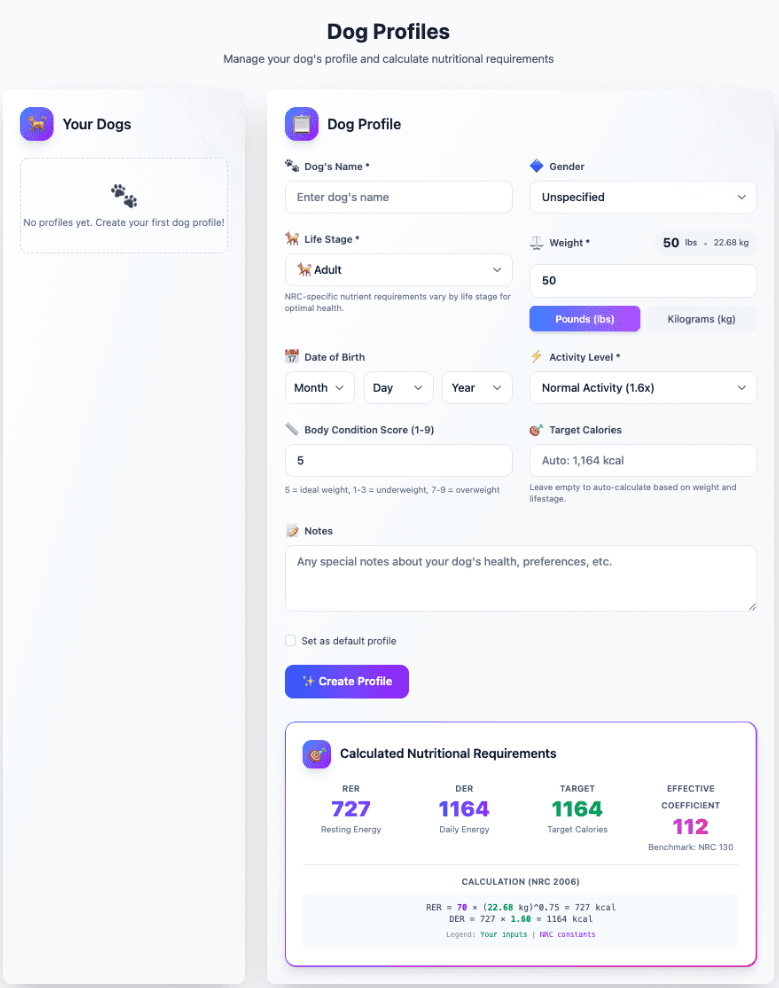
Fill in the basics
Dog's Name — enter your dog's name.
Gender — select from the dropdown.
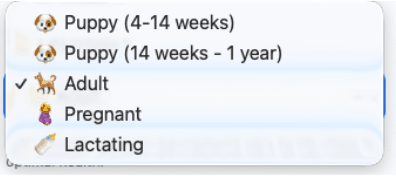
Life Stage — this determines which NRC nutritional requirements apply to your dog. The options are:
- Puppy (4–14 weeks)
- Puppy (14 weeks – 1 year)
- Adult
- Pregnant
- Lactating
Weight — enter your dog's weight and select pounds or kilograms.
Date of Birth — enter your dog's birthday if you know it.
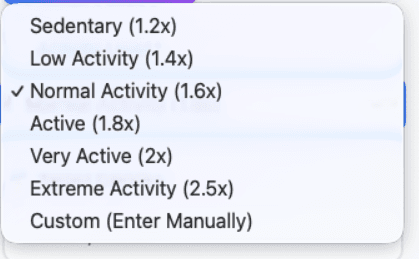
Activity Level — this affects the daily energy calculation. The options are:
- Sedentary (1.2x)
- Low Activity (1.4x)
- Normal Activity (1.6x)
- Active (1.8x)
- Very Active (2x)
- Extreme Activity (2.5x)
- Custom (Enter Manually)
Body Condition Score (1–9) — this gives RawPawIQ a sense of your dog's current condition. Use this as your guide: 5 is ideal weight, 1–3 is underweight, and 7–9 is overweight.
Target Calories — leave this blank and RawPawIQ will calculate it automatically based on your dog's weight, life stage, and activity level. If you're an advanced user with a specific calorie target in mind, you can enter it manually here.
Notes — use this field for anything relevant to your dog's health, sensitivities, or preferences. It's for your reference.
If you have multiple dogs, you can check "Set as default profile" to make this dog the one that loads first.
Save the profile
When you're done, hit "Create Profile."
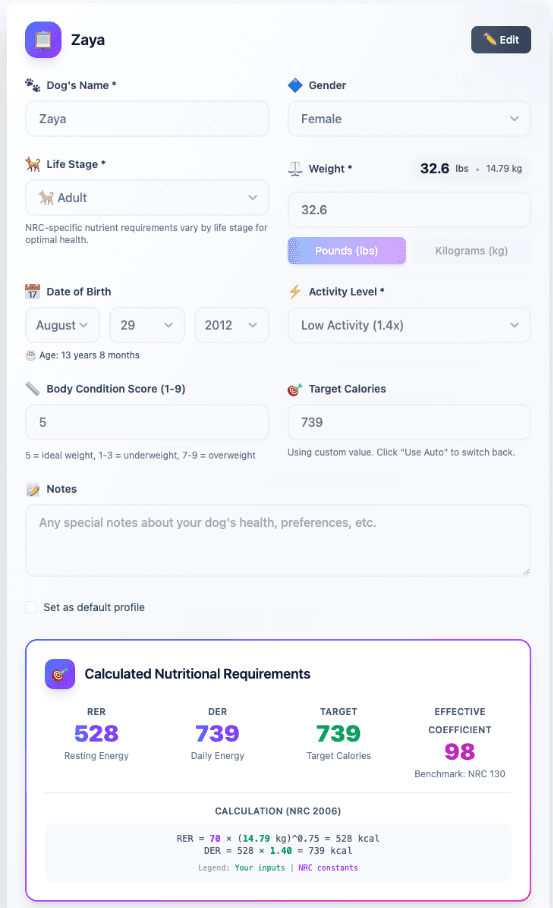
Calculated Nutritional Requirements
Scroll down and you'll see the Calculated Nutritional Requirements panel. This is where RawPawIQ shows you exactly how it arrived at your dog's numbers, including Resting Energy (RER), Daily Energy (DER), Target Calories, and the Effective Coefficient. The full NRC 2006 formula is shown here too, so nothing is hidden.
Once your profile is saved, you're ready to start building meals. That's what we'll cover in the next tutorial.
Want to dig into the math? The Energy Coefficients and NRC Normalization pages in the Reference Manual explain exactly how these numbers are derived.